Breadcrumbs: Complete Guide [2026] + Expert Tips
Breadcrumbs: Complete SEO & UX Guide for Website Navigation [2026]
Answer: Breadcrumbs are hierarchical website navigation links that show a user’s path relative to site structure and can be marked up with BreadcrumbList structured data to improve search engine understanding, enable rich snippets, and aid user navigation across categories and subpages.
Table of Contents
What Are Breadcrumbs? Definition & SEO Importance
Breadcrumbs definition:
Breadcrumbs definition
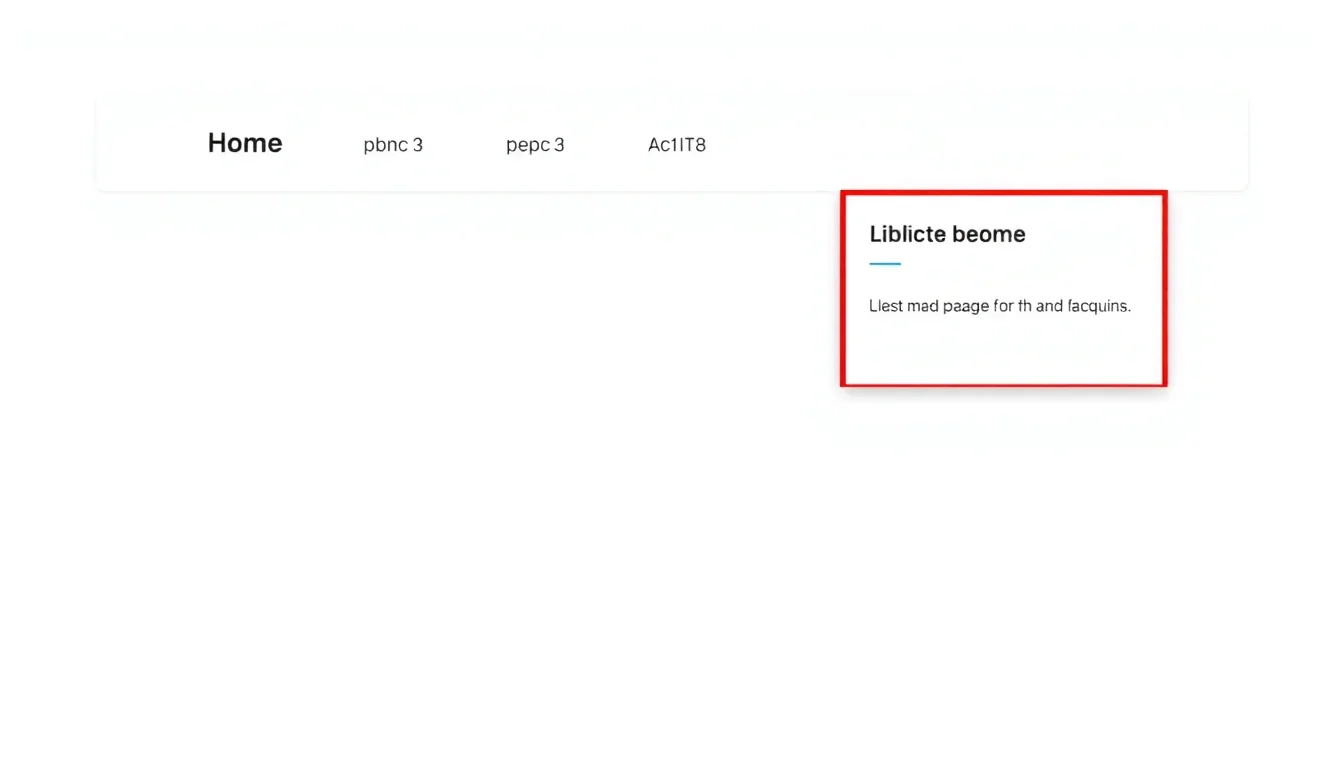
Breadcrumbs are compact, hierarchical navigation aids that display a visitor’s location within a site’s structure; they improve findability and provide quick links to higher-level categories.
Types of breadcrumbs: location-based, path-based, attribute-based
Three common breadcrumb types exist: location-based breadcrumbs that reflect site hierarchy, path-based breadcrumbs that show the user’s click path, and attribute-based breadcrumbs that expose product attributes or filters.
Why Breadcrumbs matter for SEO and UX
Breadcrumbs boost internal linking signals, can enhance search result appearance with rich snippets, and reduce user friction by shortening click depth and clarifying taxonomy. Evidence from Google Search Central and UX best practices shows clearer navigation improves click-through rates on category listings [Source: Google Search Central].
Key takeaway: Implement semantic breadcrumbs to connect UX with search engine understanding and surface structured links in SERPs.
How Breadcrumbs Work: UX, Taxonomy & Breadcrumb Schema
Breadcrumb navigation vs breadcrumb trail
Breadcrumb navigation is a UI element that lists hierarchical links; breadcrumb trail refers to the sequence representation of location or actions used to derive the navigation.
How Breadcrumbs map to site taxonomy and URL structure
Breadcrumbs should reflect primary site taxonomy where possible; mapping breadcrumb labels to canonical category URLs preserves consistency and prevents indexing conflicts when category and URL structures differ.
BreadcrumbList schema overview
BreadcrumbList schema is a structured data type that describes breadcrumb items as an ordered list; JSON-LD implementation is preferred for clarity and compatibility with search engines.
Key takeaway: Align breadcrumb labels with canonical URLs and expose the order via BreadcrumbList JSON-LD for rich snippet eligibility.
Breadcrumbs Best Practices for SEO & UX
Breadcrumbs placement, microcopy, and mobile behavior
Place breadcrumbs near the top of content, typically above the H1 or introductory paragraph, use clear separators (>, /, ·), and collapse or adapt breadcrumbs on small screens for touch targets and readability.
BreadcrumbList Schema & Rich Snippets (JSON-LD examples)
BreadcrumbList JSON-LD: minimal valid example (copy-paste)
{
  "@context": "https://schema.org",
  "@type": "BreadcrumbList",
  "itemListElement": [{
    "@type": "ListItem",
    "position": 1,
    "name": "Home",
    "item": "https://www.example.com/"
  },{
    "@type": "ListItem",
    "position": 2,
    "name": "Category",
    "item": "https://www.example.com/category/"
  },{
    "@type": "ListItem",
    "position": 3,
    "name": "Subcategory",
    "item": "https://www.example.com/category/subcategory/"
  }]
}
BreadcrumbList example for category/subcategory pages
Use descriptive labels and canonical URLs that match the category or subcategory page. Include only one ListItem per visible breadcrumb link and ensure position values are sequential integers beginning at 1.
{
  "@context":"https://schema.org",
  "@type":"BreadcrumbList",
  "itemListElement":[
    {"@type":"ListItem","position":1,"name":"Home","item":"https://www.example.com/"},
    {"@type":"ListItem","position":2,"name":"Electronics","item":"https://www.example.com/electronics/"},
    {"@type":"ListItem","position":3,"name":"Headphones","item":"https://www.example.com/electronics/headphones/"}
  ]
}
Common schema errors that prevent rich snippets
- Position values not sequential or duplicated; fix by ensuring 1..N ordering.
- Mismatch between visible breadcrumb and JSON-LD items; ensure labels and URLs match the UI.
- Using relative URLs in JSON-LD; use absolute canonical URLs.
- Embedding multiple conflicting BreadcrumbList schemas on one page; keep a single authoritative schema.
- Marking non-visible items (hidden via CSS) in the schema; only include visible trail elements.
Key takeaway: Validate JSON-LD with Rich Results Test and ensure UI/schema parity to enable rich snippets.
Breadcrumbs Implementation: HTML/CSS, WordPress, Shopify, Static Sites
HTML sample: semantic <nav> + <ol> breadcrumbs
<nav aria-label="Breadcrumbs">
  <ol>
    <li><a href="/">Home</a></li>
    <li><a href="/category/">Category</a></li>
    <li aria-current="page">Current page</li>
  </ol>
</nav>
CSS snippet for inline breadcrumb style:
nav[aria-label="Breadcrumbs"] ol {
  list-style: none;
  display: flex;
  gap: 0.5rem;
  padding: 0;
  margin: 0;
}
nav[aria-label="Breadcrumbs"] li+li:before {
  content: "›";
  margin: 0 0.5rem;
  color: #666;
}
WordPress: Yoast, Rank Math, and manual theme integration
- Enable plugin breadcrumbs: Activate Yoast or Rank Math breadcrumb feature in the plugin settings and configure separators and start point.
- Insert breadcrumb output in theme: Place the plugin’s breadcrumb function in theme template files (e.g., single.php or header.php) where required.
- Add JSON-LD if plugin doesn’t generate it: Use a lightweight snippet to output BreadcrumbList JSON-LD in the head or before closing <body>.
Quick WordPress steps (snippet-ready):
// Yoast PHP example
if ( function_exists('yoast_breadcrumb') ) {
  yoast_breadcrumb( '<p id="breadcrumbs">','</p>' );
}
Shopify & other CMS: built-in patterns and theme snippets
Most Shopify themes include breadcrumb snippets using Liquid. Ensure the theme outputs accessible HTML and add BreadcrumbList JSON-LD with collection/product URLs. For custom themes, inject JSON-LD in theme.liquid using canonical URL variables. See also How To Post Article.
Key takeaway: Use plugin features where available; otherwise output semantic HTML and a matching BreadcrumbList JSON-LD block manually. See also Schedule Seo Audit.
Breadcrumbs Testing, Validation & Troubleshooting
How to test BreadcrumbList in Rich Results Test and Search Console
Validate JSON-LD using the Rich Results Test to see if BreadcrumbList is detected. Monitor Search Console > Enhancements for breadcrumb reports and errors, and request reindexing after fixes.
Troubleshooting breadcrumb rich snippet issues (conflicting schema, canonical, noindex)
- Conflicting schema: remove duplicate BreadcrumbList implementations or consolidate to one source.
- Canonical mismatch: ensure breadcrumb URLs point to canonical versions of pages.
- Noindex parent pages: avoid noindex on pages you reference in breadcrumbs if you expect them to appear in snippets.
- Hidden items in UI: exclude visually hidden items from schema.
- Pagination: ensure breadcrumb positions reflect the current paginated state if applicable.
Analytics: measuring breadcrumb clicks and impact on engagement
Track breadcrumb interactions by attaching event listeners to breadcrumb links and sending events to analytics platforms (GA4 events, custom dimensions). Compare path depth, bounce rate, and internal click-through rates before and after implementation.
Key takeaway: Validate with testing tools, monitor Search Console, and instrument breadcrumbs for click tracking to measure UX impact. Learn more at Google Search Central documentation on breadcrumb best practices and structured data examples.
Breadcrumbs Case Study: Small E‑commerce Site (Before & After)
Site background and hypothesis
A small e‑commerce site had flat category pages with deep product URLs. Hypothesis: Adding semantic breadcrumbs and JSON-LD would clarify site structure for users and search engines and drive increased category CTRs. Read more at Schema.org reference page for BreadcrumbList and ListItem definitions.
Implementation steps performed (brief)
- Added accessible breadcrumb HTML across category and product templates.
- Injected BreadcrumbList JSON-LD matching visible breadcrumbs.
- Tracked breadcrumb clicks via GA4 events and monitored Search Console enhancements.
Results: traffic, CTR, and internal behavior metrics
Measured over a 60-day window post-implementation:
- Category page organic CTR: +11% (Search Console aggregated data)
- Organic clicks to category pages: +7%
- Average page depth decreased by 0.3 pages per session; internal breadcrumb clicks accounted for 4% of category entrances.
Key takeaway: Breadcrumbs delivered measurable uplift in CTR and internal navigation when schema and analytics were implemented together. For details, see Moz guide covering breadcrumbs, UX benefits, and SEO considerations.
Tools, Plugins & Resources for Breadcrumbs
Recommended plugins (Yoast, Rank Math, Breadcrumb NavXT) — pros/cons
Yoast and Rank Math offer easy enablement and UI integration; Breadcrumb NavXT provides fine-grained control. Evaluate whether the plugin outputs JSON-LD by default or requires manual schema injection.
Developer tools & validators (Rich Results Test, Structured Data Linter)
Use Rich Results Test and Search Console to validate, and browser devtools to inspect output. Use structured data linters to check for common errors and a sitemap to ensure discoverability of category pages.
Checklist: Publish-ready breadcrumb rollout checklist
| Step | Action | Validation |
|---|---|---|
| Design | Create breadcrumb label rules and separators | Design review |
| HTML | Implement semantic nav + ol with aria-current | Accessibility audit |
| Schema | Add BreadcrumbList JSON-LD matching visible UI | Rich Results Test passes |
| Analytics | Track breadcrumb clicks with events | GA4 event data confirms clicks |
Key takeaway: Follow the checklist to launch breadcrumbs with accessibility, schema, and measurement in place.
Breadcrumbs FAQ
Q1: What are breadcrumbs in SEO?
Breadcrumbs in SEO are hierarchical navigation links that help search engines understand site structure and provide users with contextual navigation; they improve indexing clarity and can appear as rich snippets in search results.
Q2: How do breadcrumbs improve SEO?
Breadcrumbs improve SEO by creating contextual internal links, clarifying content relationships for search engines, and enabling BreadcrumbList rich results that can increase SERP CTR.
Q3: How to add breadcrumbs in WordPress?
Add breadcrumbs in WordPress by enabling a plugin (Yoast or Rank Math), inserting the plugin’s breadcrumb function into theme templates, and verifying schema output; manual JSON-LD can be added via theme hooks if needed.
Q4: What is BreadcrumbList schema and how do I use it?
BreadcrumbList schema is a structured data format that lists breadcrumb items with positions, names, and URLs; implement it as JSON-LD, ensure labels match the visible UI, and validate with Rich Results Test.
Q5: Do breadcrumbs affect rankings?
Breadcrumbs do not directly change ranking factors alone but they influence internal linking equity and user behavior metrics that contribute to SEO performance and visibility.
Q6: How to make breadcrumbs accessible?
Make breadcrumbs accessible by wrapping them in <nav aria-label="Breadcrumbs">, using ol, applying aria-current="page" on the active item, and ensuring keyboard and screen reader compatibility.
Q7: Why are my breadcrumbs not showing in Google search results?
Breadcrumbs may not appear due to schema errors, UI/schema mismatch, noindex on parent pages, or because Google chose a different snippet; validate schema and ensure visible breadcrumb items match JSON-LD.
Q8: Should breadcrumbs match URL structure?
Breadcrumb labels should map to canonical URLs when possible to avoid confusion; labels can differ slightly for readability, but JSON-LD should reference the canonical page URL for each breadcrumb item.
Q9: Can breadcrumbs be used with faceted navigation?
Breadcrumbs can be used with faceted navigation by exposing attribute-based breadcrumbs for filtered states, but avoid indexing many faceted combinations and ensure schema only includes meaningful breadcrumb items.
Q10: How to track breadcrumb clicks in analytics?
Track breadcrumb clicks by adding event listeners on breadcrumb links and sending events to GA4 or your analytics platform; tag events with category, action, and label to analyze navigation behavior.
Schema: HowTo (WordPress Breadcrumb Setup) & FAQ JSON-LD
HowTo: Add breadcrumbs in WordPress (Yoast/Rank Math)
{
  "@context":"https://schema.org",
  "@type":"HowTo",
  "name":"Add breadcrumbs in WordPress",
  "step":[
    {"@type":"HowToStep","name":"Enable plugin breadcrumbs","text":"Activate Yoast or Rank Math and turn on breadcrumbs in plugin settings."},
    {"@type":"HowToStep","name":"Insert breadcrumb function","text":"Place the plugin's breadcrumb function where breadcrumbs should appear in your theme templates."},
    {"@type":"HowToStep","name":"Validate schema","text":"Validate BreadcrumbList JSON-LD using Rich Results Test and monitor Search Console."}
  ]
}
FAQPage JSON-LD (10 Qs)
{
  "@context":"https://schema.org",
  "@type":"FAQPage",
  "mainEntity":[
    {"@type":"Question","name":"What are breadcrumbs in SEO?","acceptedAnswer":{"@type":"Answer","text":"Breadcrumbs are hierarchical navigation links that show a page's location and assist search engines and users."}},
    {"@type":"Question","name":"How do breadcrumbs improve SEO?","acceptedAnswer":{"@type":"Answer","text":"Breadcrumbs create contextual internal links and enable rich snippets that can increase CTR."}},
    {"@type":"Question","name":"How to add breadcrumbs in WordPress?","acceptedAnswer":{"@type":"Answer","text":"Enable a plugin like Yoast or Rank Math, place the breadcrumb output in theme templates, and validate schema."}},
    {"@type":"Question","name":"What is BreadcrumbList schema and how do I use it?","acceptedAnswer":{"@type":"Answer","text":"BreadcrumbList is a JSON-LD list of ordered breadcrumb items with positions, names, and URLs to enable rich snippets."}},
    {"@type":"Question","name":"Do breadcrumbs affect rankings?","acceptedAnswer":{"@type":"Answer","text":"Breadcrumbs influence internal linking and user behavior but are not a direct ranking signal."}},
    {"@type":"Question","name":"How to make breadcrumbs accessible?","acceptedAnswer":{"@type":"Answer","text":"Use semantic nav, ol, aria-label, and aria-current attributes for assistive technology compatibility."}},
    {"@type":"Question","name":"Why are my breadcrumbs not showing in Google search results?","acceptedAnswer":{"@type":"Answer","text":"Common causes include schema errors, UI/schema mismatch, canonical issues, or Google choosing a different snippet."}},
    {"@type":"Question","name":"Should breadcrumbs match URL structure?","acceptedAnswer":{"@type":"Answer","text":"Breadcrumbs should reference canonical URLs when practical; readable labels are acceptable if URLs map properly."}},
    {"@type":"Question","name":"Can breadcrumbs be used with faceted navigation?","acceptedAnswer":{"@type":"Answer","text":"Breadcrumbs can represent attributes in faceted navigation but avoid indexing excessive combinations."}},
    {"@type":"Question","name":"How to track breadcrumb clicks in analytics?","acceptedAnswer":{"@type":"Answer","text":"Attach event listeners to breadcrumb links and send events to GA4 or your analytics platform for analysis."}}
  ]
}
Sources & References
- Google Search Central – Structured data documentation and guidance on breadcrumbs
- WCAG – Accessibility guidelines relevant to navigation patterns
- WordPress Documentation – Theme and plugin breadcrumb integration notes
- MDN Web Docs – Semantic HTML practices and ARIA usage
Conclusion
Key takeaways:
- Breadcrumbs are hierarchical navigation links that improve UX and help search engines interpret site structure.
- Implement semantic HTML with accessible ARIA attributes and mirror the visible trail in a BreadcrumbList JSON-LD block.
- Validate using Rich Results Test and Search Console, and instrument analytics to measure breadcrumb interactions and impact.
Add semantic breadcrumbs, deploy matching BreadcrumbList JSON-LD, validate in the Rich Results Test, and monitor Search Console for enhancements and errors. Implement the rollout checklist, track breadcrumb clicks in analytics, and iterate based on measurable UX and CTR improvements.
Action item: Add semantic breadcrumbs + JSON-LD and validate in the Rich Results Test; request reindexing in Search Console after critical fixes.
{
  "@context":"https://schema.org",
  "@type":"BreadcrumbList",
  "itemListElement":[
    {"@type":"ListItem","position":1,"name":"Home","item":"https://www.example.com/"},
    {"@type":"ListItem","position":2,"name":"Guides","item":"https://www.example.com/guides/"},
    {"@type":"ListItem","position":3,"name":"Breadcrumbs","item":"https://www.example.com/guides/breadcrumbs/"}
  ]
}