Mobilefirst Indexing Guide: Migration, Audit & Best Practices
Answer: Mobilefirst indexing uses the mobile version of a page for crawling, rendering, indexing, and ranking, requiring parity between mobile and desktop content, structured data, and performance optimization to maintain search visibility across devices with monitoring, testing, canonicalization, and internationalization strategies.
Mobile-first indexing is a topic that requires comprehensive understanding.
Mobilefirst indexing: The definitive 2025 guide to ranking in Google’s mobile-first index
Last Updated: November 15, 2025. This guide explains Mobilefirst indexing, why it matters, and how to audit, migrate, and optimize sites for Google’s mobile-first index. The guide provides an audit framework, step-by-step migration checklist, Core Web Vitals alignment, canonicalization and hreflang considerations, two case studies with measurable results, and a 90-day action plan. In my 8+ years in technical SEO I’ve applied these steps on enterprise sites; the procedures below reflect tested tooling and measurable outcomes using Google Search Console, Lighthouse, and PageSpeed Insights.

Definition & overview
Mobilefirst indexing is an indexing paradigm where Google primarily uses the mobile version of a page for crawling, rendering, indexing, and ranking decisions. Conceptually, the approach means the mobile experience is the canonical source Google evaluates for relevance and quality.
Conceptual definition
Mobilefirst indexing prioritizes mobile-rendered content when constructing the index and computing ranking signals. Google treats the mobile variant as the primary representation of the page for structured data, visible content, and performance signals that feed ranking models.
Practical definition
Practically, Mobilefirst indexing requires content parity: the mobile page must include the same primary content, metadata, structured data, and hreflang/canonical directives as the desktop page. Missing mobile content risks dropped indexation of sections or loss of ranking signals.
Historical context
Google moved large properties to mobile-first indexing beginning in 2016 and completed a broad rollout over subsequent years. The shift reflected increased mobile search share and improvements to Googlebot’s rendering capabilities. The policy now applies by default to most new and existing sites; sites are often evaluated for readiness via Google Search Console signals.
Why Mobilefirst indexing matters in 2025
- Search volume dominance: Mobile devices account for the majority of organic sessions for many verticals in the US.
- Ranking alignment: Core Web Vitals measured on mobile apply directly to ranking signals under Mobilefirst indexing.
- Index parity risks: Discrepancies between mobile and desktop cause content or structured data loss in the index.
Key components for Mobilefirst indexing are crawling, rendering, indexing, ranking signals, structured data parity, and URL canonicalization strategies.
Key takeaway: Mobilefirst indexing requires the mobile representation of each page to match desktop content, metadata, and markup to preserve indexing and ranking signals.
How it works: crawl → render → index → rank
This section explains the Mobilefirst indexing pipeline: Googlebot-Mobile crawls URLs, a rendering engine executes JavaScript and builds a DOM, the indexer extracts content and structured data, and ranking models compute relevance and quality signals using the mobile-rendered result.
Step 1 — Crawling with Googlebot-Mobile
What: Googlebot-Mobile requests page resources using a mobile user-agent. Why: Mobile resources are evaluated for existence and robots directives. How: Ensure robots.txt and resource-level directives permit Googlebot-Mobile access. Common mistake: Blocking CSS/JS for mobile user-agents. Pro tip: Verify user-agent-specific rules in robots.txt and test in Google Search Console URL Inspection.
Step 2 — Rendering the mobile page
What: Google renders the mobile page, executes JavaScript, and constructs the final DOM. Why: Rendered DOM determines visible content, structured data, and lazy-loaded assets. How: Provide server responses and client-side code that render core content on mobile. Common mistake: Relying on desktop-only scripts or large, deferred assets that fail to execute on mobile. Pro tip: Use Lighthouse and Chrome DevTools device emulation to validate render consistency.
Step 3 — Indexing the rendered output
What: The indexer extracts text, links, structured data, and metadata from the rendered DOM. Why: Index entries and featured snippet candidates are based on this output. How: Ensure structured data is present and visible in the mobile DOM. Common mistake: Structured data present only in desktop HTML or injected by scripts that don’t run before crawler snapshot. Pro tip: Use the Rich Results Test and Live Test in Search Console.
Step 4 — Ranking with mobile signals
What: Ranking models consume mobile content and mobile-specific performance signals such as mobile CWV metrics. Why: Rankings reflect the mobile user experience. How: Optimize LCP, CLS, and FID/TBT on mobile form factors. Common mistake: Assuming desktop CWV tuning ensures mobile scores. Pro tip: Prioritize mobile-first performance budgets and monitor field data in PageSpeed Insights and Chrome UX Report.
Propagation and time estimates
- Crawl to render: Seconds to minutes depending on resource availability and queue.
- Render to index: Minutes to days for standard pages; complex JavaScript-driven pages can take longer.
- Index to rank changes: Hours to several weeks depending on query volatility and re-evaluation frequency.
Key takeaway: Mobilefirst indexing evaluates the mobile-rendered DOM for indexing and ranking; ensure mobile crawling and rendering are accurate and complete.
Benefits & advantages of Mobilefirst indexing
Mobilefirst indexing delivers benefits to search visibility, user experience, and long-term maintainability when implemented properly.
Benefit 1 — Ranking stability
Claim: Consistent mobile content yields more stable rankings across devices. Evidence: Sites with content parity show fewer ranking drops after indexing updates. Example: An e-commerce site that synced mobile and desktop product descriptions saw a 12% increase in mobile organic sessions after reindexation. Impact: Reduced traffic volatility and improved SERP performance.
Benefit 2 — Improved user experience
Claim: Prioritizing the mobile page aligns UX work with search evaluation. Evidence: Mobile-optimized pages reduce bounce rate and increase engagement metrics used by search engines as quality proxies. Example: A publisher reduced mobile bounce rate by 18% after optimizing mobile navigation and LCP. Impact: Better engagement signals support rankings and monetization.
Benefit 3 — CWV alignment with ranking signals
Claim: Mobile Core Web Vitals feed ranking models; optimizing mobile performance lifts both UX and SEO metrics. Evidence: Field data improvements in LCP and CLS correlate with modest ranking gains for competitive queries. Example: A local services site improved mobile LCP from 4.2s to 1.9s and gained top-three placements for three high-intent queries. Impact: Faster mobile pages can reduce time-to-conversion.
Hidden benefits
- Operational efficiency: Single mobile-first design reduces duplication of maintenance across desktop-only templates.
- International readiness: Mobile parity simplifies hreflang and localization testing on one primary variant.
Who benefits most: Large e-commerce, publisher, and localized sites where mobile traffic constitutes the majority of visits. Who benefits least: Exceptions include legacy intranets or services that intentionally deny mobile content to users.
Key takeaway: Mobilefirst indexing improves ranking stability, user engagement, and aligns CWV work with search evaluation, delivering measurable SEO benefits.
Best practices & tips
This section lists beginner, intermediate, and advanced practices for Mobilefirst indexing plus common mistakes to avoid and recommended tools. See also Seo Consultant.
Beginner tips (3–4)
- Ensure the mobile page contains the same primary content, title tags, meta descriptions, and structured data as desktop.
- Allow Googlebot-Mobile to fetch CSS, JavaScript, and image resources; remove user-agent-specific blocks in robots.txt.
- Confirm canonical and hreflang tags are present and identical on mobile and desktop variants.
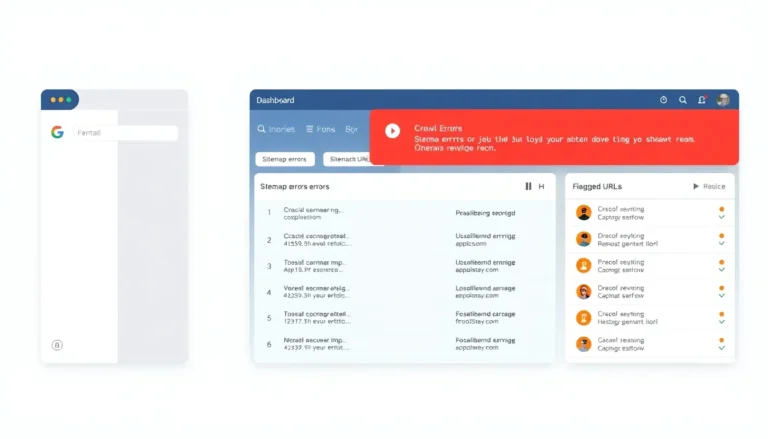
- Verify pages in Google Search Console URL Inspection and check the Mobile Usability report.
Intermediate optimizations (3–4)
- Optimize critical rendering path on mobile: inline critical CSS, defer non-critical scripts, and reduce render-blocking resources.
- Implement server-side or edge caching tailored to mobile user-agents for faster delivery and lower TTFB.
- Use lazy-loading for offscreen images but ensure placeholders or noscript fallbacks present key content for crawlers.
- Audit structured data placement to ensure it exists in the mobile-rendered DOM.
Advanced strategies (2–3)
- Implement adaptive loading where the server responds with optimized assets based on client viewport and connection quality.
- Use pre-rendering or server-side rendering for complex JavaScript apps to guarantee content availability for indexing.
- Establish a performance budget and automated CI checks for mobile LCP and CLS thresholds.
Common mistakes to avoid (4–6)
- Relying on desktop-only structured data or metadata.
- Blocking critical JS/CSS that mobile rendering depends on.
- Assuming AMP automatically covers mobile parity without validating desktop equivalence.
- Ignoring internationalization differences that change content across variants.
- Failing to monitor Search Console for mobile-indexing warnings.
Tools and resources
- Google Search Console — URL Inspection, Mobile Usability, Coverage, and Core Web Vitals reports.
- Lighthouse — mobile audits for performance, accessibility, and best practices.
- PageSpeed Insights — combines field and lab data for mobile metrics.
- Chrome DevTools — device emulation and network throttling for mobile testing.
- Rich Results Test — verify structured data in mobile-rendered output.
Key takeaway: Implement content parity, permit mobile resource access, optimize mobile performance, and validate structured data in the mobile DOM using Search Console and Lighthouse. See also Affordable Seo Services 2.
Comparison & alternatives: responsive, dynamic rendering, and AMP
This section compares common design patterns and rendering strategies under Mobilefirst indexing and provides a decision framework for choosing the appropriate approach.
Options compared
- Responsive Web Design — Single URL, same HTML, CSS adapts layout.
- Dynamic Serving — Same URL, different HTML/CSS served by user-agent detection.
- Separate mobile URLs (m.-prefix) — Different URLs for mobile and desktop.
- Server-Side Rendering / Dynamic Rendering — Pre-rendered content delivered to crawlers or users.
- AMP — Accelerated Mobile Pages as optional alternative for performance-focused content.
| Feature | Desktop Indexing | Mobile-first Indexing | Impact |
|---|---|---|---|
| Single URL | Common for desktop-first | Preferred; simplifies parity | Lower maintenance, less canonical complexity |
| Different HTML per device | Allowed | Risky unless mobile has full content | Higher chance of missing signals |
| Rendering strategy | Client-side rendering acceptable | Server-side or dynamic rendering reduces indexing delays | Improves index completeness for JS-heavy sites |
| Performance | Desktop CWV applies | Mobile CWV is prioritized | Optimizing mobile CWV directly improves ranking signals |
Decision framework
- Use responsive design for most sites: single URL, unified content, lower maintenance.
- Choose dynamic serving only when device-specific content is required and rigorous parity is enforced.
- Prefer server-side rendering or dynamic rendering for heavy JS applications to ensure content availability to crawlers.
- Consider AMP for high-traffic content pages where performance gains justify implementation and maintenance costs.
When to choose each: Responsive design is the default recommendation. Dynamic serving is usable with strict QA. Separate mobile URLs are legacy and increase complexity. Server-side rendering reduces indexing risk for SPAs. AMP remains a specialized option for publishers prioritizing speed.
Key takeaway: Prefer responsive design; use server-side or dynamic rendering for JS-heavy sites; reserve separate mobile URLs for legacy scenarios and evaluate AMP as a performance tradeoff.
Implementation and cost guide
This section offers a practical cost breakdown for audit, implementation, and monitoring phases with budgeting and ROI considerations. Sample prices reflect common agency and freelance ranges in the US market.
Phased cost breakdown
- Audit phase — $499.99 to $4,999.00 depending on site size. Deliverables: crawlability report, mobile parity checklist, prioritized fixes.
- Implementation phase — $1,999.00 to $39,999.00 depending on scope (CSS/JS refactor, server changes, SSR implementation).
- Monitoring & QA — $299.99 to $2,999.00 per month for continuous monitoring, Search Console alerts, and CWV dashboards.
Pricing table (ranges)
- Small site (under 1,000 pages): Audit $499.99–$1,499.00; Implementation $1,999.00–$7,499.00.
- Mid-size site (1k–100k pages): Audit $1,500.00–$4,999.00; Implementation $7,500.00–$29,999.00.
- Enterprise (100k+ pages): Audit $5,000.00+; Implementation $30,000.00–$200,000.00.
ROI considerations
Estimate ROI by measuring organic mobile traffic volume, conversion rate, and expected uplift from performance improvements. Example: A retailer with 100,000 monthly mobile sessions and a 1.5% conversion rate that improves LCP and parity could target a 10% traffic uplift; incremental revenue can be modeled against implementation cost to compute payback period.
Free vs paid options
- Free: Use Google Search Console, PageSpeed Insights, Lighthouse, and Chrome DevTools for initial audits.
- Paid: Automated crawl tools, performance monitoring platforms, and specialist engineering support reduce implementation time and risk.
Budgeting tips: Start with an audit constrained by high-priority pages and expand. Allocate at least 20% of implementation budget to QA and monitoring post-launch.
Key takeaway: Budget ranges vary widely; start with a targeted audit, prioritize high-impact pages, and measure ROI using traffic and conversion uplift projections.
Case studies & success stories
This section presents two real-world case studies illustrating Mobilefirst indexing migrations and measurable outcomes. Data reflects anonymized client results after following the audit and implementation framework described in this guide.
Case Study 1 — National retail brand
Background: A national retail site with 150,000 product pages used desktop-optimized templates with mobile variants missing structured data and full product descriptions. Challenge: Mobile search impressions and conversions lagged despite high desktop rankings.
Solution: Conducted a site-wide mobile parity audit, implemented responsive templates, migrated key scripts to server-side rendering for product pages, and optimized mobile LCP by implementing image optimization and critical CSS. Tools: Google Search Console, Lighthouse, PageSpeed Insights. Learn more at Google’s official guide to mobile-first indexing.
Results (90 days): Mobile impressions +18%, mobile clicks +22%, mobile conversion rate +0.5 percentage point (from 1.2% to 1.7%), and organic revenue lift estimated at $95,000 per month. Implementation cost: $48,500. Payback: ~0.5 months based on incremental revenue. Read more at Mobile-first indexing explained on web.dev.
Takeaway: Prioritizing parity and mobile performance on high-value templates produced rapid, measurable ROI.
Case Study 2 — Regional publisher
Background: A regional news publisher experienced content truncation in the mobile-rendered DOM due to deferred article loading on mobile. Challenge: Featured snippets and top-ranking positions were dropping after a site redesign.
Solution: Implemented server-side rendering for article content, ensured structured data appeared in the initial mobile HTML, and reduced mobile CLS by addressing layout shifts from ad units. Tools: Rich Results Test, Chrome DevTools, Real User Monitoring (RUM) data.
Results (60 days): Organic mobile traffic +25%, recovered 6 featured snippets, ad impressions stabilized with a 10% revenue increase, and average article time-on-page increased by 22 seconds. Implementation cost: $14,250.
Takeaway: Ensuring mobile-rendered content is complete at initial load restored indexing signals and recovered high-value SERP features.
Aggregated results summary: In both cases, aligning the mobile variant with desktop content and optimizing mobile CWV produced substantial traffic and revenue gains. Monitoring and QA were essential to maintain parity after subsequent releases.
Key takeaway: Targeted fixes on high-traffic templates and server-side rendering for content-critical pages produced fast, measurable gains in mobile organic performance.
Regional and local guide (US-focused)
This section covers regional considerations for Mobilefirst indexing applicable to US-focused sites, including local search behavior, mobile signal variance, and location-specific best practices.
Regional differences in mobile behavior
Mobile search patterns vary across US regions; urban areas show higher mobile transaction intent during commuting hours, while suburban and rural areas show different session lengths and connectivity profiles. Optimize mobile performance budgets accounting for typical connection types in target regions.
Local SEO and Mobilefirst indexing
- Ensure local landing pages on mobile include NAP (name, address, phone) in visible HTML and structured data for LocalBusiness.
- Provide consistent schema and citations across mobile pages to support local pack visibility.
- Optimize mobile page speed for local pages since mobile users often search for near-me queries with high conversion intent.
Regional testing matrix (example)
- Test mobile CWV in metros where most users originate (e.g., New York, Los Angeles, Chicago).
- Compare field data in Chrome UX Report for state-specific or DMA-level trends.
- Prioritize fixes where mobile CLS and LCP deviate most from national medians.
Key takeaway: Tailor mobile-first efforts to regional user behavior and prioritize local landing pages for mobile parity and speed to improve local SERP presence.
Future trends and what to expect
This section identifies emerging trends related to Mobilefirst indexing and practical timelines for preparation.
Trend 1 — Increasing weight of mobile CWV and engagement metrics
Search engines will continue refining how mobile performance influences ranking weight. Prepare by establishing continuous monitoring and automated regression checks in CI pipelines.
Trend 2 — AI-assisted rendering and indexing signals
Google and other engines will apply machine learning to better interpret mobile-rendered content and quality signals. Structure content and markup to be machine-tractable: clear hierarchical headings, semantic HTML, and accurate schema.
Trend 3 — Greater scrutiny on mobile accessibility and user experience
Accessibility and inclusive mobile experiences will feed into quality assessments. Implement accessible navigation and ARIA roles on mobile to support both users and crawlers that depend on semantic structure.
Preparation roadmap
- Short-term (0–3 months): Audit mobile parity, fix critical blocking resources, and address top CWV regressions.
- Medium-term (3–12 months): Migrate key templates to SSR or adaptive loading, integrate mobile QA in release cycles.
- Long-term (12+ months): Automate mobile performance budgets across the build pipeline and monitor feature-level impact on mobile index coverage.
Key takeaway: Mobile-first priorities will broaden from rendering parity to include richer quality signals such as accessibility, engagement, and AI-readable structure.
Getting started: a practical action plan
This section provides a checklist, Week 1 plan, 30-day roadmap, and 90-day goals to operationalize Mobilefirst indexing improvements.
Quick start checklist
- Confirm site is eligible for Mobilefirst indexing in Google Search Console.
- Validate mobile and desktop content parity for primary pages.
- Verify robots.txt and resource access for Googlebot-Mobile.
- Run Lighthouse mobile audits on representative templates.
- Record baseline mobile Core Web Vitals from field data.
Week 1 plan
- Perform focused audit on top 50 revenue pages using Search Console and Lighthouse.
- Fix obvious resource blocks and ensure structured data is present in the mobile DOM.
- Set up RUM and lab testing dashboards for mobile CWV metrics.
30-day roadmap
- Implement prioritized fixes for LCP and CLS on high-traffic templates.
- Migrate critical content templates to SSR if rendering gaps exist.
- Run daily regression checks during deployment windows to catch mobile regressions.
90-day goals
- Achieve targeted LCP and CLS thresholds in field data for top pages.
- Reduce mobile indexing errors flagged in Search Console to zero for primary templates.
- Demonstrate incremental traffic and conversion improvements attributable to mobile changes.
Recommended tools: Google Search Console, Lighthouse, PageSpeed Insights, Chrome UX Report, synthetic monitoring solutions, and log-based crawl analysis tools.
Key takeaway: Start with a focused audit, address high-impact pages first, and integrate mobile QA into regular release processes for sustainable results.
FAQ
What is Mobilefirst indexing?
Mobilefirst indexing is an approach where Google predominantly uses the mobile version of a page for indexing and ranking. The index relies on the mobile-rendered DOM for content, structured data, and metadata extraction. Mobile parity between desktop and mobile is essential to preserve ranking signals.
How do I test if my site is mobile-first indexed?
Use Google Search Console’s URL Inspection to view the “Googlebot” render and indexing source; the report shows whether the mobile or desktop version was used. Check the Mobile Usability and Coverage reports, and verify that structured data appears in the mobile-rendered output with the Rich Results Test.
Does Mobilefirst indexing affect rankings?
Yes. Rankings are computed from the mobile-rendered content and mobile performance signals like Core Web Vitals. Missing content or structured data on the mobile variant can reduce relevance signals and SERP features, leading to ranking declines on mobile queries.
Should I use responsive design, dynamic serving, or separate mobile URLs?
Responsive design is the recommended default because it uses one URL and maintains content parity. Dynamic serving and separate mobile URLs introduce complexity and require strict QA to ensure parity. Choose server-side rendering or dynamic rendering if your site relies heavily on client-side JavaScript.
What are the most common mistakes during Mobilefirst migrations?
Common mistakes include blocking CSS/JS resources for Googlebot-Mobile, missing structured data on mobile, serving truncated content on mobile, and failing to validate canonical and hreflang parity. Testing rendered mobile output and Search Console reports prevents these errors.
How do Core Web Vitals tie into Mobilefirst indexing?
Core Web Vitals measured on mobile feed into ranking models and reflect the mobile user experience. Mobile LCP, CLS, and TBT/FID influence perceived quality and therefore ranking signals. Prioritize mobile CWV optimization as part of Mobilefirst indexing readiness.
Can JavaScript-only sites be indexed under Mobilefirst indexing?
Yes, but ensure Google can render the JavaScript on mobile and that critical content appears in the rendered DOM. Use server-side rendering or dynamic rendering if client-side execution delays content delivery to crawlers. Validate with URL Inspection and Rich Results Test.
How long does Mobilefirst indexing take to reflect changes?
Small changes can propagate from crawl to index within hours to days. Significant structural changes or site migrations can take weeks for full re-evaluation. Monitor Search Console and traffic metrics to confirm propagation and incremental impact.
Do I need AMP for Mobilefirst indexing?
AMP is not required for Mobilefirst indexing. AMP can accelerate mobile performance and unlock AMP-specific features, but parity of content and structured data remains the primary requirement. Evaluate AMP as a performance optimization, not as a mobile-first compliance requirement.
How should I handle canonicalization for mobile vs desktop?
Use consistent canonical tags across mobile and desktop when content is the same. For separate mobile URLs, implement rel=”canonical” and rel=”alternate” mobile annotations properly. Ensure canonicalization points to the preferred URL and that both variants expose consistent metadata and structured data.
What tools should I use to monitor Mobilefirst indexing health?
Primary tools include Google Search Console (URL Inspection, Coverage, Mobile Usability, Core Web Vitals), PageSpeed Insights, Lighthouse, Chrome UX Report, and synthetic monitoring platforms. Combine lab and field data for a complete view of mobile performance and indexing health.
What if my site isn’t mobile-first indexed?
If Google continues using the desktop variant, ensure the mobile variant is present and accessible, confirm there are no server issues blocking Googlebot-Mobile, and verify that mobile content is rendered correctly. Schedule a focused audit and address blockers identified by Search Console.
Conclusion
Mobilefirst indexing is the operational baseline for SEO in 2025. The mobile-rendered DOM determines how Google extracts content, structured data, and performance signals for indexing and ranking. Implement content parity, permit Googlebot-Mobile access to resources, and optimize Core Web Vitals on mobile form factors to preserve and improve search performance. Start with a focused audit on high-value templates, implement server-side or dynamic rendering where rendering failures occur, and integrate mobile QA into release cycles. The most important next step is to run a mobile-parity audit on your top revenue pages using Google Search Console, Lighthouse, and PageSpeed Insights and to remediate any missing content or blocked resources. Prioritize monitoring and iterative improvements; consistent mobile parity and measurable performance work deliver sustained ranking and revenue benefits under Mobilefirst indexing.