Best SEO Reporting Tools [2026]: 10 Comprehensive Tools
Answer: SEO reporting tools are software applications that track, analyze and report website performance metrics, enabling marketers to measure rankings, traffic, backlinks, and conversions through customizable dashboards, automated reports, integrations, visualizations, and time series data across channels and date range comparisons.
Table of Contents
Definition of SEO reporting tools
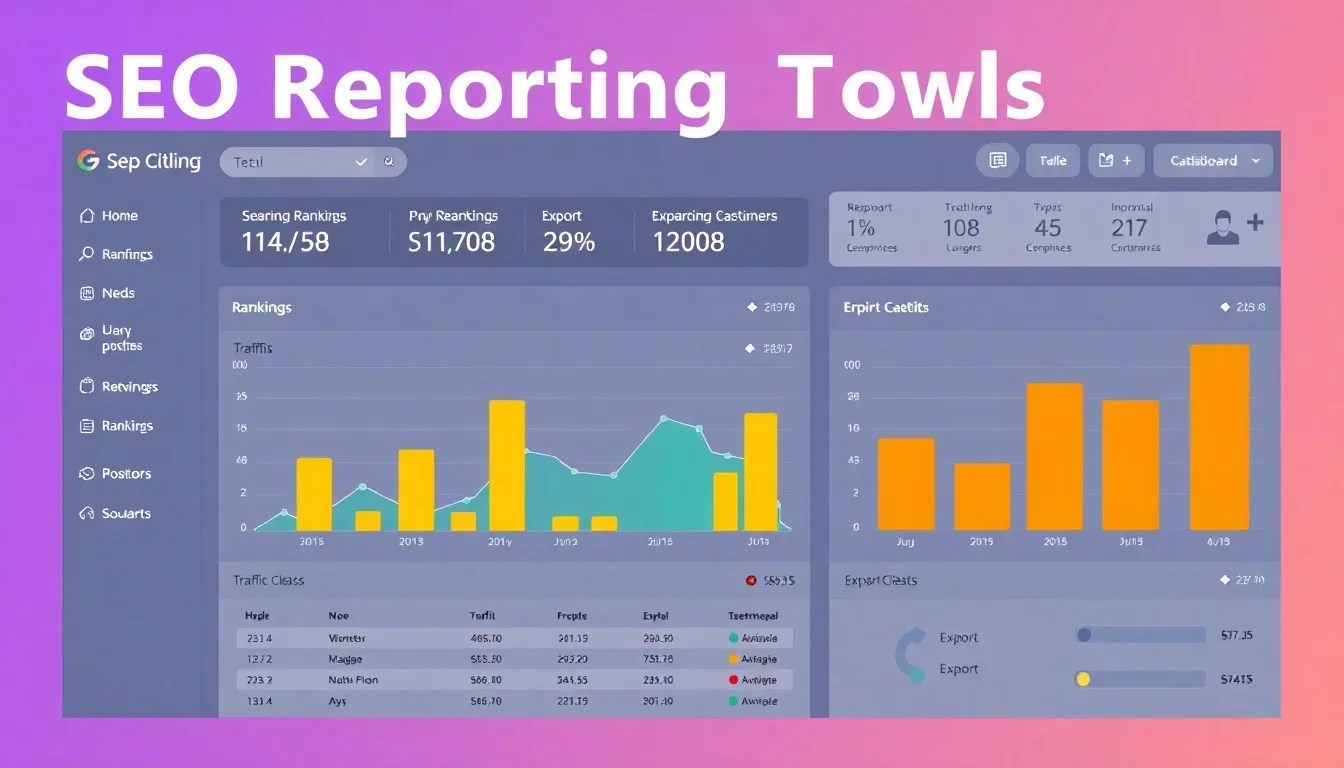
SEO reporting tools are software platforms that collect, aggregate, and present search-related performance data to support monitoring, analysis, and decision-making. These tools automate data collection from search engines, analytics platforms, and third-party sources, enabling structured reporting on organic traffic, keyword rankings, backlinks, crawl issues, and conversion-related metrics.
Key attributes of SEO reporting tools
- User-friendly interface with customizable dashboards.
- Customizable reporting features and scheduled exports.
- Integration capabilities with analytics, CRM, and advertising platforms.
- Data visualization components including charts and tables.
- Automated alerts and anomaly detection for performance shifts.
Common examples of tools in this category include Google Analytics combined with Looker Studio, SEMrush, Ahrefs, Moz Pro, Screaming Frog, and specialized reporting platforms that consolidate multiple sources.
Key takeaway: SEO reporting tools centralize search performance data, reduce manual reporting, and provide visual outputs for strategic SEO decisions.
Importance of SEO reporting
Consistent SEO reporting provides measurable evidence of campaign performance, demonstrates ROI for search initiatives, and surfaces technical or content issues requiring remediation. Reporting converts raw data into actionable insights by tracking trend lines, attribution signals, and the relationship between organic visibility and business outcomes.
Primary benefits of SEO reporting tools
- Performance transparency across channels and time ranges.
- Faster identification of ranking declines, crawl errors, and indexation issues.
- Standardized reporting that supports stakeholder communication and budgeting.
- Data-driven decision making through segmentation and cohort analysis.
- Automated scheduling and distribution of recurring reports.
Business impacts supported by reporting
Reporting links SEO activities to conversions, revenue, or lead generation, enabling prioritization of high-impact optimizations and clearer alignment with marketing objectives. Statistical tracking reduces speculative work and focuses engineering and content resources on measurable gains.
Key takeaway: Reliable SEO reporting reduces uncertainty, accelerates issue resolution, and supports measurable growth strategies for organic search.
Best SEO reporting tools for 2025
This section lists leading platforms that combine data collection, visualization, and automated reporting for enterprise and agency use. Each entry includes core strengths and typical use cases.
Top tools overview
- SEMrush — Comprehensive keyword research, position tracking, and custom reporting for agencies and in-house teams.
- Ahrefs — Strong backlink analysis, site audit capabilities, and keyword research with exportable reports.
- Google Analytics + Looker Studio — Free analytics with highly customizable visual reports via Looker Studio connectors.
- Moz Pro — Keyword tracking and on-page optimization reports tailored for medium-size sites.
- Screaming Frog — Site crawling focused on technical SEO issues with exportable CSV reports for engineering teams.
- Agency-specific platforms — White-label reporting tools designed for client distribution and SLA-driven reporting.
Key features comparison
| Tool | Features | Pricing (typical starting) | Ratings (out of 5) |
|---|---|---|---|
| SEMrush | Rank tracking, site audit, backlink analysis, custom reports | $119.95/mo | 4.5 |
| Ahrefs | Backlink index, keyword explorer, site audit, rank tracker | $99/mo | 4.4 |
| Google Analytics + Looker Studio | Traffic analytics, event tracking, customizable dashboards, free connectors | Free to use; premium analytics billed separately | 4.3 |
| Moz Pro | Rank tracking, on-page grader, link research, reporting templates | $99/mo | 4.0 |
| Screaming Frog | Deep technical crawl, exportable issue reports, integration with analytics | £149/year | 4.2 |
User reviews and practical notes
SEMrush receives high marks for comprehensive toolsets and reporting templates for agencies. Ahrefs leads for backlink and competitive intelligence. Google Analytics paired with Looker Studio provides cost-effective customization for data visualization but requires setup effort for enterprise-level reporting. Screaming Frog is standard for technical audits and integrates with reporting pipelines.
Key takeaway: Select a reporting platform based on the balance of data sources required, automation needs, and reporting distribution frequency.
Pricing models for SEO reporting tools
Pricing for SEO reporting tools typically follows subscription tiers, usage-based billing, or enterprise licensing. Vendors may charge per seat, per project, per query volume, or offer flat monthly fees with limits on tracked keywords, crawl volume, and report exports.
Common pricing structures
- Subscription tiers: Monthly or annual plans with graduated feature sets and quotas.
- Usage-based pricing: Fees tied to API calls, data rows ingested, or crawl volume.
- Per-user licensing: Charges scale with the number of user accounts or seats.
- White-label / enterprise plans: Custom contracts with SLA, dedicated support, and higher quotas.
- Freemium models: Limited free access with paid upgrades for advanced features.
Free vs. paid tools: value considerations
Free tools provide baseline analytics and are suitable for small websites or early-stage reporting. Paid tools deliver greater automation, integration, historical data retention, and SLA-backed reliability. The value proposition depends on report frequency, stakeholder expectations, and required data granularity. See also Knowledge Panel Optimization.
Key takeaway: Match pricing model to reporting scale: smaller sites benefit from free or entry-level plans; agencies and enterprises require scalable, SLA-backed tiers. See also Content Structure Heading Hierarchy.
Pros and cons of each tool
Each reporting tool presents trade-offs between depth of analysis, ease of reporting, and cost. The following summarizes primary strengths and weaknesses by category.
SEMrush
- Pros: Comprehensive toolkit, strong reporting templates, integrated competitive research.
- Cons: Higher cost for full feature access; data sampling for very large accounts.
Ahrefs
- Pros: Extensive backlink index, accurate keyword difficulty estimates, fast crawls.
- Cons: Reporting templates less customizable than some dashboard platforms.
Google Analytics + Looker Studio
- Pros: Cost-effective, flexible visualization, direct access to Google Analytics data.
- Cons: Setup complexity for advanced reports; data sampling in GA4 for high volumes.
Moz Pro
- Pros: User-friendly interface, helpful on-page recommendations.
- Cons: Smaller backlink index and keyword database compared to competitors.
Screaming Frog
- Pros: Deep technical crawling, exportable issue reports for engineers.
- Cons: Limited to crawling and technical analysis; requires other tools for visualization.
Key takeaway: Combine specialized tools (technical crawlers, backlink platforms) with visualization/reporting platforms to cover the full SEO reporting stack.
Case studies / Success stories
This section presents two practical examples that demonstrate measurable outcomes from structured SEO reporting and tool selection.
Case study 1: Company X — Improved organic conversions using consolidated reporting
Company X consolidated keyword ranking data, Google Analytics session data, and conversion events into scheduled dashboards to identify underperforming landing pages. The consolidated reports revealed a 32% drop in organic conversions on key pages correlated with a recent template change. After targeted fixes, Company X saw a 24% increase in organic conversions within 12 weeks. Tools used: Google Analytics, Looker Studio, Screaming Frog for crawl validation. Learn more at 6 Best SEO Reporting Tools & Software for Agencies in 2025.
- Before: 1,200 monthly organic conversions.
- After: 1,488 monthly organic conversions (24% increase).
- Time to results: 12 weeks.
Case study 2: Company Y — Faster technical remediation through automated alerts
Company Y implemented automated weekly site-audit reports and critical issue alerts using a combination of SEMrush and Screaming Frog. The alerting system reduced mean time to resolution for critical indexation issues from 18 days to 3 days. Organic visibility recovered, producing a 15% increase in organic sessions over six months. Tools used: SEMrush site audit, Screaming Frog, internal ticketing integration. Read more at Essential SEO Reporting Tools.
- Issue resolution time reduced: 82% faster.
- Organic sessions increase: 15% over six months.
Key takeaway: Automated, consolidated reporting shortens remediation cycles and produces measurable gains in conversions and sessions when paired with clear escalation processes. For details, see 19 Best SEO Reporting Tools In 2026.
Future trends in SEO reporting
Emerging trends will change how teams collect, interpret, and act on SEO data. Reporting will shift from descriptive dashboards to predictive models, automated recommendations, and integrated business metrics that reflect revenue impact. Additional insights at 8 Best SEO Reporting Tools to Make Your Job Easier.
Key trends to watch
- AI-driven anomaly detection and prioritized recommendations embedded in reports.
- Predictive ranking and traffic models that estimate business impact from technical or content changes.
- Greater integration between search data and CRM/commerce platforms for revenue attribution.
- Standardized report templates for cross-functional stakeholders with role-based access.
- Improved data governance and privacy-aware reporting workflows aligned to global regulations.
Key takeaway: Future reporting will emphasize prescriptive insights and revenue alignment, reducing manual analysis and increasing strategic impact.
Getting started with SEO reporting tools
Begin with a concise implementation plan that defines objectives, KPIs, data sources, and reporting cadence. A small, repeatable process reduces initial complexity and accelerates value delivery.
Quick start checklist
- Define primary KPI(s): organic sessions, conversions, assisted conversions, revenue attributable to organic search.
- Select core data sources: Google Analytics, Search Console, backlink provider, crawl tool.
- Choose a reporting platform that supports required integrations and scheduled exports.
- Build a minimum viable dashboard that highlights top KPIs, trends, and alerts.
- Automate weekly or monthly exports and set escalation rules for critical issues.
- Document reporting responsibilities and review cadence with stakeholders.
Resources for further learning
Recommended resources include vendor documentation, data visualization guides, and industry reports on measurement and attribution. Prioritize resources that include case studies and implementation templates to reduce setup time.
Key takeaway: Start with a focused KPI set, automate core reports, and iterate dashboards based on stakeholder feedback.
Frequently asked questions
What are SEO reporting tools?
SEO reporting tools are software applications designed to collect, analyze, and present website and search performance data in dashboards and automated reports to support SEO decision-making.
How do I choose an SEO reporting tool?
Choose an SEO reporting tool by matching required data sources, reporting cadence, automation needs, and budget; prioritize platforms that integrate with your analytics, CMS, and CRM for complete attribution.
Are there free SEO reporting tools?
Yes. Google Analytics combined with Looker Studio offers a free baseline for reporting; other vendors provide freemium tiers with limited features suitable for small sites.
How often should I run SEO reports?
Run operational reports weekly for monitoring and monthly or quarterly for strategic reviews; frequency depends on campaign velocity, site size, and stakeholder needs.
What metrics should I track in SEO?
Track organic sessions, keyword rankings, impressions, click-through rate, backlinks, crawl errors, indexation status, and conversion metrics tied to business objectives.
How can I improve my SEO reporting?
Improve reporting by consolidating data sources, standardizing KPI definitions, automating exports, and adding context through annotations and benchmark comparisons.
What are the limitations of SEO reporting tools?
Limitations include data sampling at scale, API rate limits, incomplete cross-channel attribution, and the need for configuration to avoid misleading metrics.
How do SEO reporting tools integrate with other tools?
Integration occurs through native connectors, APIs, data export/import, and ETL pipelines that move data from analytics, search consoles, and CRMs into reporting dashboards.
Sources & References
- Google — Documentation and measurement guidance for Search Console and Google Analytics.
- SEMrush — Product documentation and reporting templates.
- Ahrefs — Research on backlink analysis and competitive intelligence.
- HubSpot — Industry reports on organic traffic and conversion trends.
- Moz — Guides on SEO measurement and keyword tracking methodologies.
Conclusion
Effective SEO reporting transforms disparate data into prioritized insights, accelerates remediation of technical and content issues, and demonstrates the business value of organic search. Select tools that align with required data sources, reporting frequency, and stakeholder expectations. Combine technical crawlers, backlink platforms, and visualization tools to create a complete reporting stack that supports operational monitoring and strategic decision-making. Begin with a focused KPI set, automate recurring reports, and iterate dashboards based on measurable outcomes and stakeholder feedback. Consistent reporting reduces time to resolution for critical issues, clarifies investment priorities, and enables measurable growth in organic sessions and conversions. Implement scheduled audits, integrate analytics with reporting platforms, and document responsibilities to maintain reporting quality. Explore trial periods and proof-of-concept dashboards before committing to enterprise licenses to validate expected value and integrations. Final step: establish a review cadence that ties SEO performance to business metrics and revises the reporting framework as data needs evolve.

![Complete Guide to Google Business Profile [2026]](https://sparltech.com/wp-content/uploads/2026/01/Google_Business_Profile_img1-768x439.webp)